
SQLAtlas for Mac · by Nicholas Xerri
No analytics.
Your data stays yours.
SQLAtlas is a database app for SQL Server, Azure SQL, MySQL, MariaDB, PostgreSQL and SQLite. No account, no telemetry, no tracking. Nothing leaves your computer unless you send it.
- No telemetry
- Keychain only
- TLS verified
- No silent overwrites
Free app. Pro is a one-time unlock, no subscription.
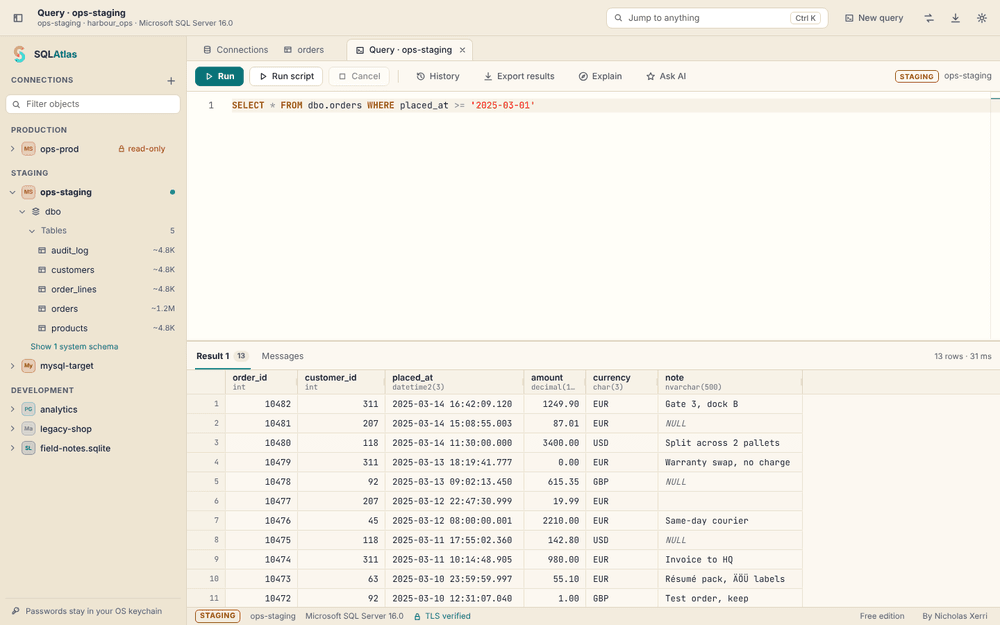
Five engines, one window
- Microsoft SQL Server
- Azure SQL
- MySQL
- MariaDB
- PostgreSQL
- SQLite
Privacy first
Nothing to opt out of.
Nothing sent home.
Your Mac talks to your database, over a verified connection. That is the whole picture. There is no server of mine in the middle and nothing reporting back.
No analytics, no account
There is no telemetry code in SQLAtlas, no crash reporter of our own and no sign-in. It never tells me who you are or how you use it.
Connections go where you point them
Queries travel only between your computer and the database servers you add. Passwords live in your system keychain, never in a file.
Anything optional asks first
The AI assistant is off until you turn it on, and shows you each request, with values removed, before anything is sent.
Your data,
exactly as stored.
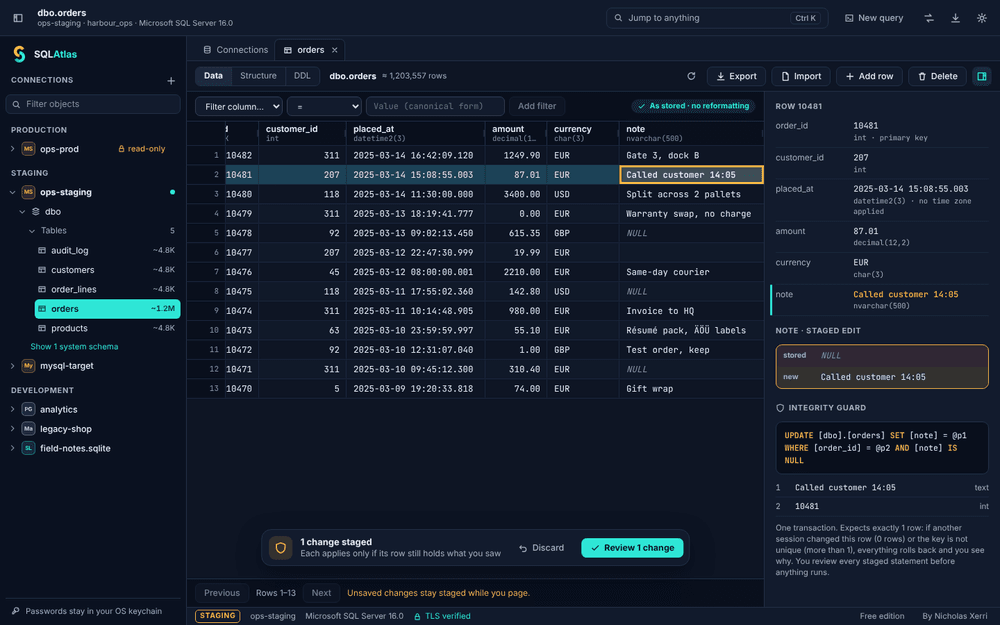
Dates stay dates and 87.01 stays 87.01. SQLAtlas never reformats a value, never rounds it and never changes your server's date format, language or time-zone settings.
- Display settings (ISO, day/month or month/day dates; decimal point or comma) change only what you see
- Exports keep exact digits and ISO dates, whatever the display settings
- NULL, empty text and zero always stay different
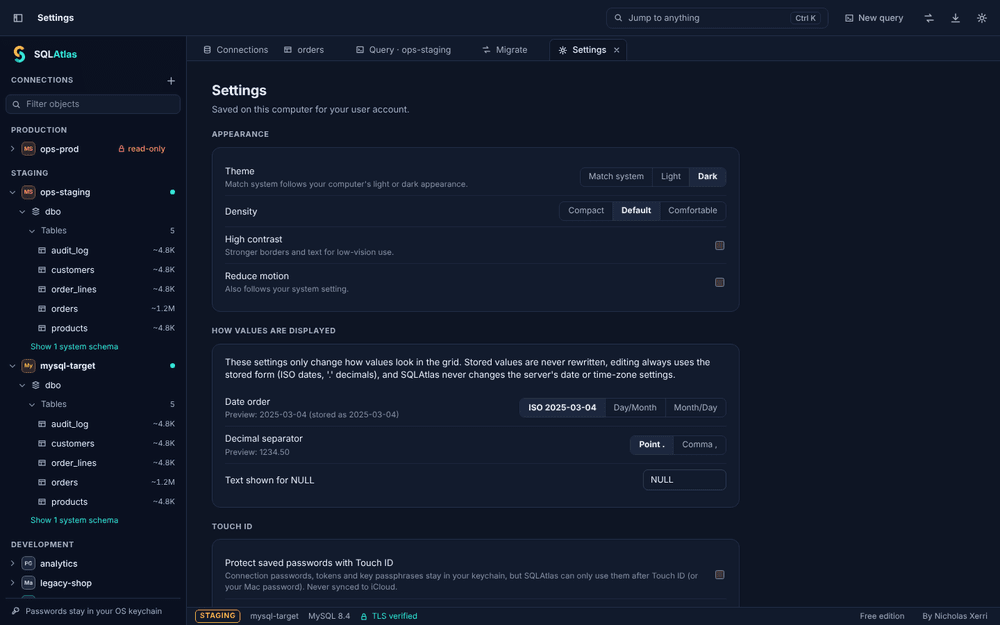
The Integrity Guard.
No silent overwrites.
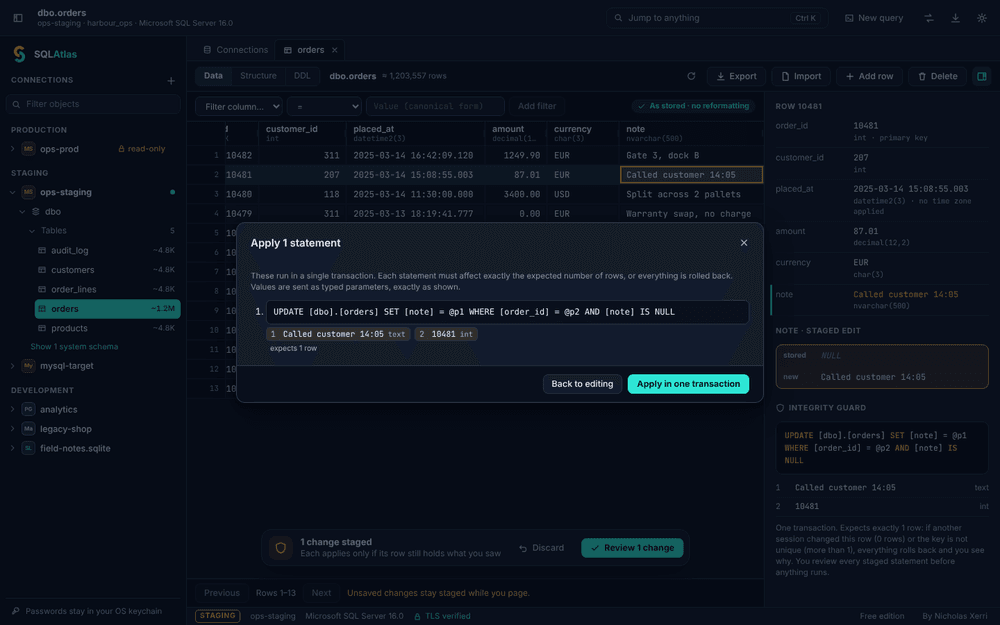
Edit in the grid like a spreadsheet. When you save, SQLAtlas writes only the columns you changed, as typed parameters, inside one transaction.
- Each change must match exactly the row you read, or everything rolls back
- If someone else changed the row since you read it, nothing is overwritten
- SQL Server rowversion and PostgreSQL xmin are used when the table has them
SQL Server
on your Mac.
SQL Server Management Studio runs only on Windows, and Microsoft retired Azure Data Studio in February 2026. SQLAtlas connects to SQL Server, Azure SQL Database and Azure SQL Managed Instance from a Mac app, with nothing to install on the server.
- SQL sign-in, Microsoft Entra ID or an access token you supply
- Full SQL editor with completion from your live database
- Safe table editing and schema browsing. No Windows VM
Azure SQL support is built in and tested against a local SQL Server set up like Azure (certificate-verified TLS, contained users). A run against a live Azure SQL instance is on the pre-launch checklist.
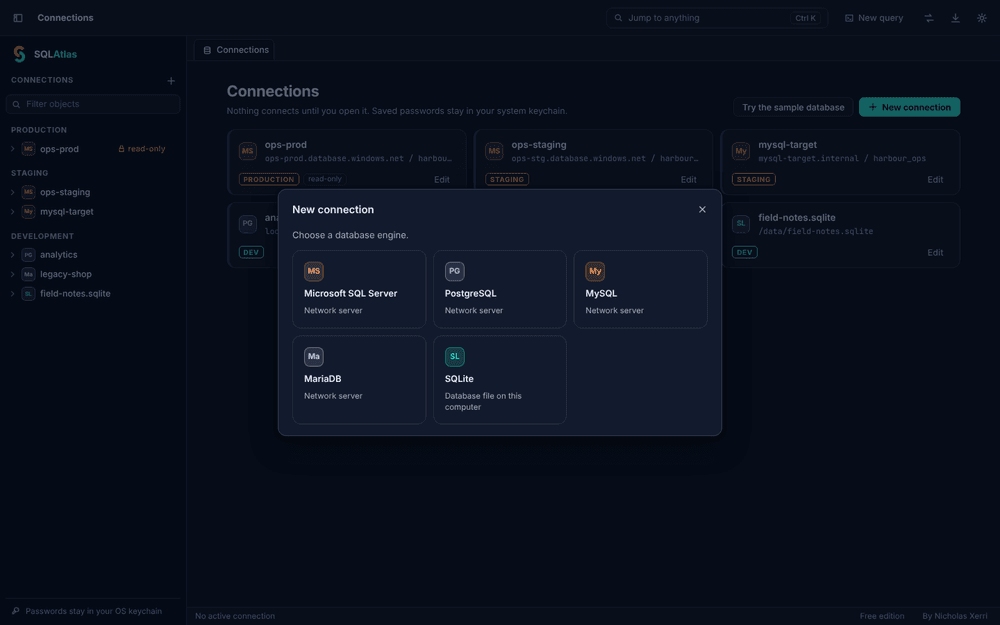
SQL Server to MySQL.
Nothing lost silently.
Convert a database from SQL Server or Azure SQL to MySQL or MariaDB, or between any two of the five engines. Every type that could lose information waits for your decision, and every table is verified after the copy.
- The source is opened read-only, with a consistent snapshot
- Rows are copied as typed parameters, with checkpoints
- A report of rows written, rejected and verified, per table
A quick tour
Light or dark.
Same honest data.
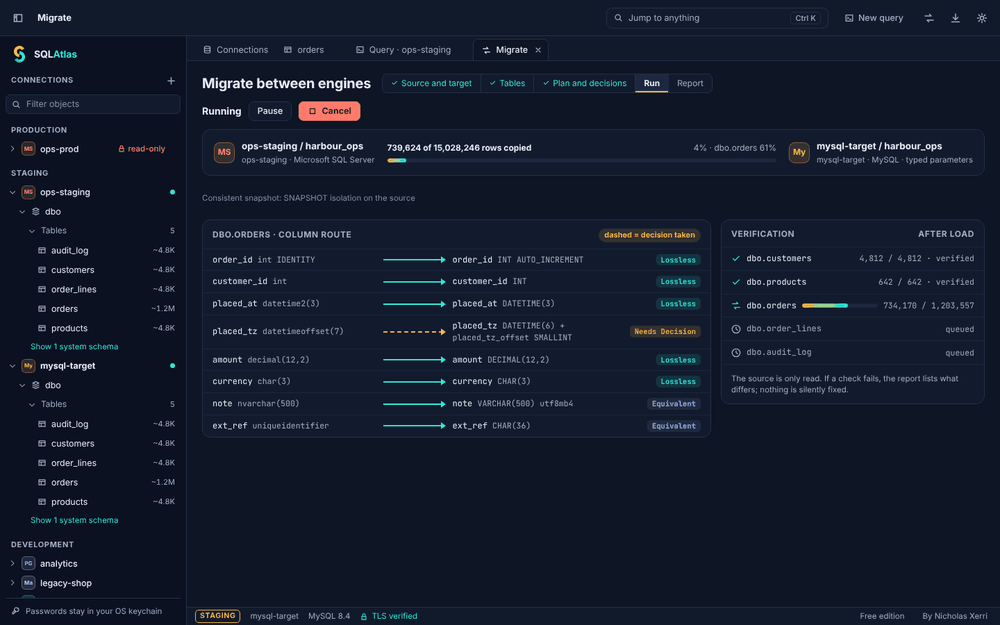
SQLAtlas follows your Mac's appearance. Here are a few screens in both themes.
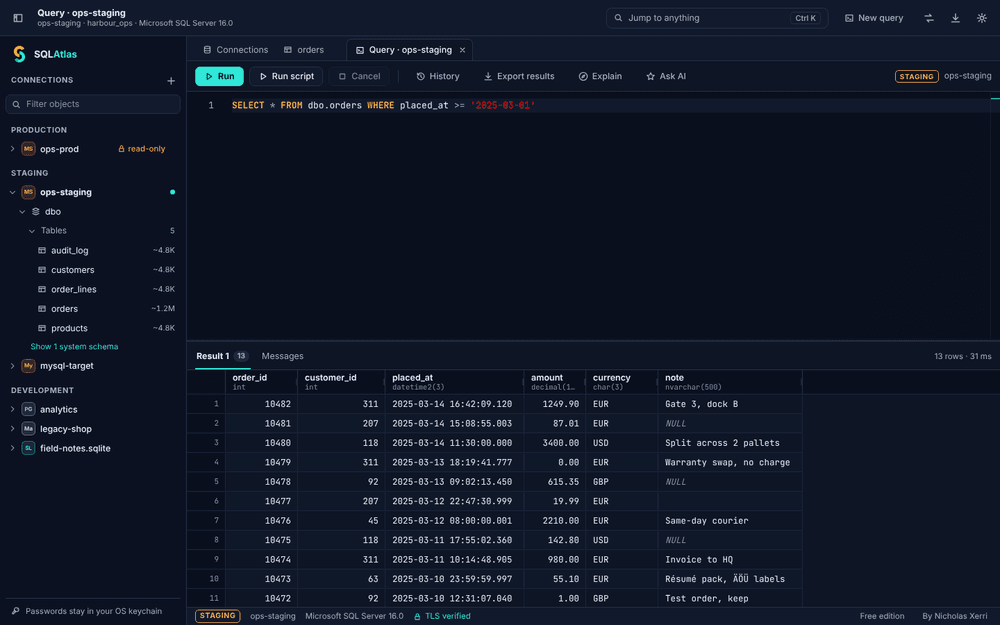
SQL editorDark
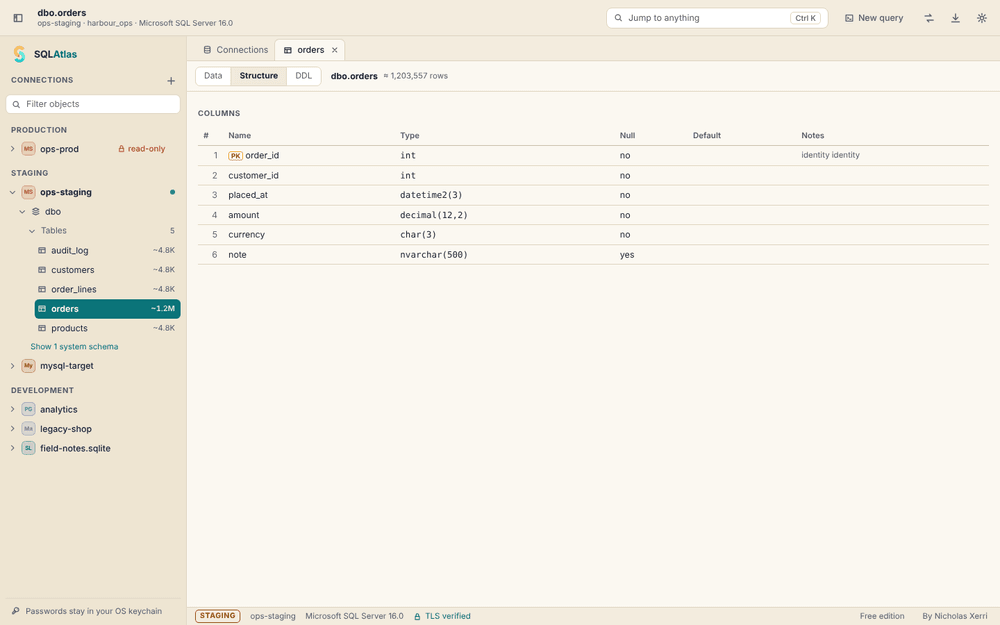
Table structureLight
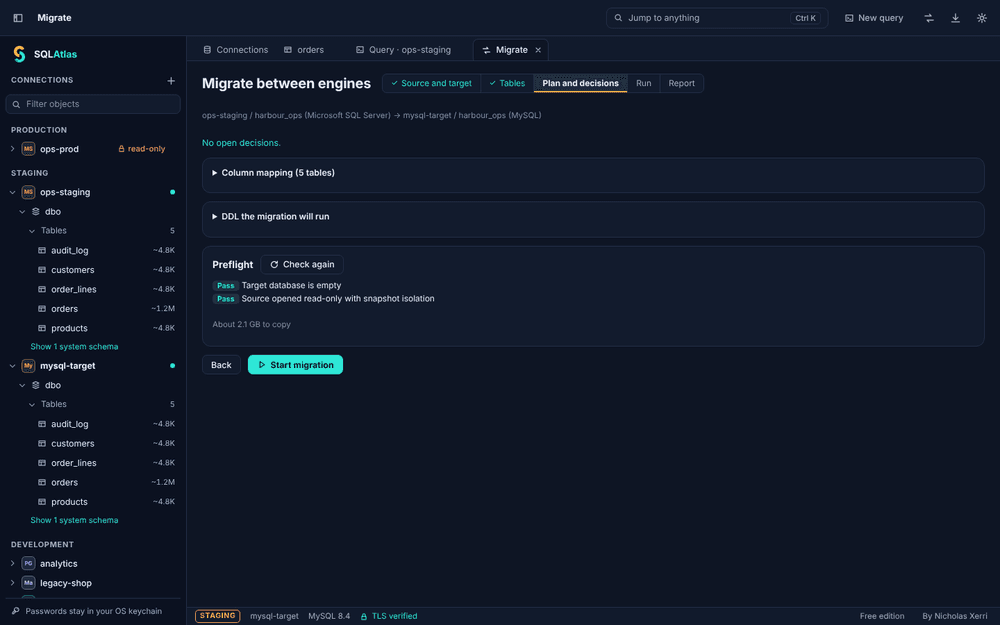
Conversion planDark
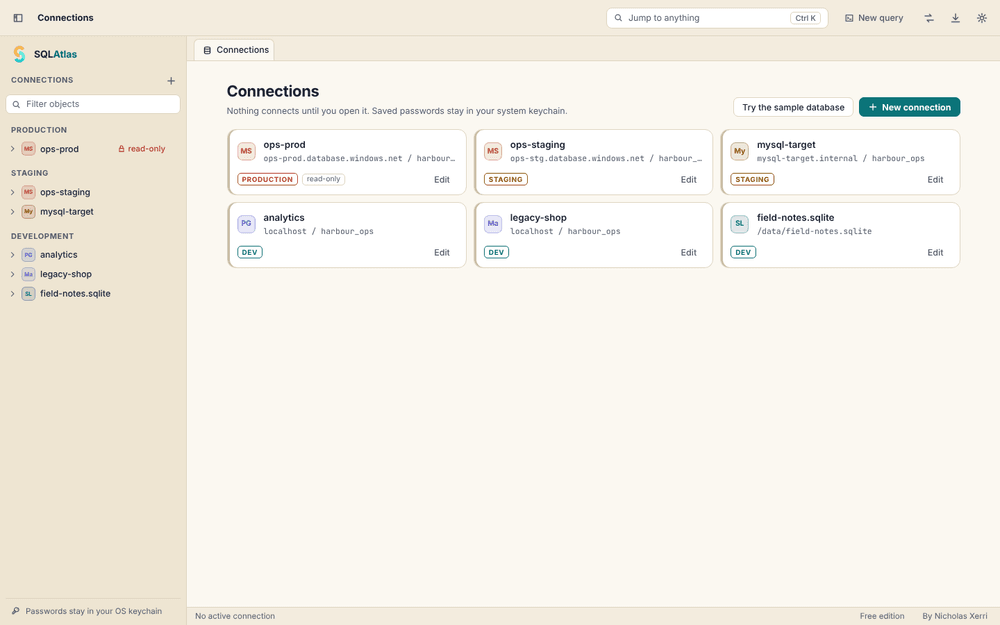
ConnectionsLight
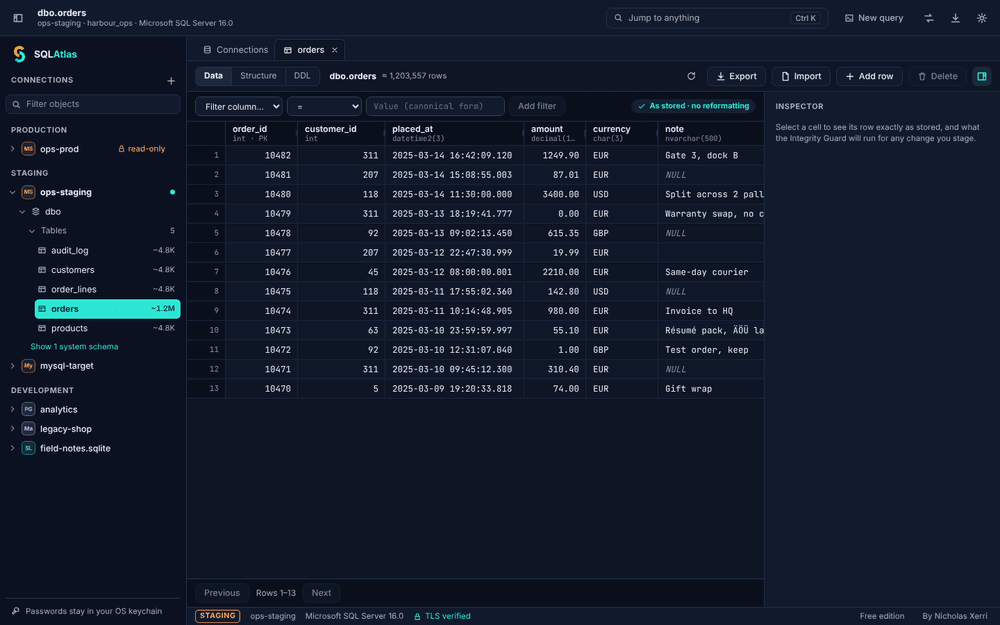
Table dataDark
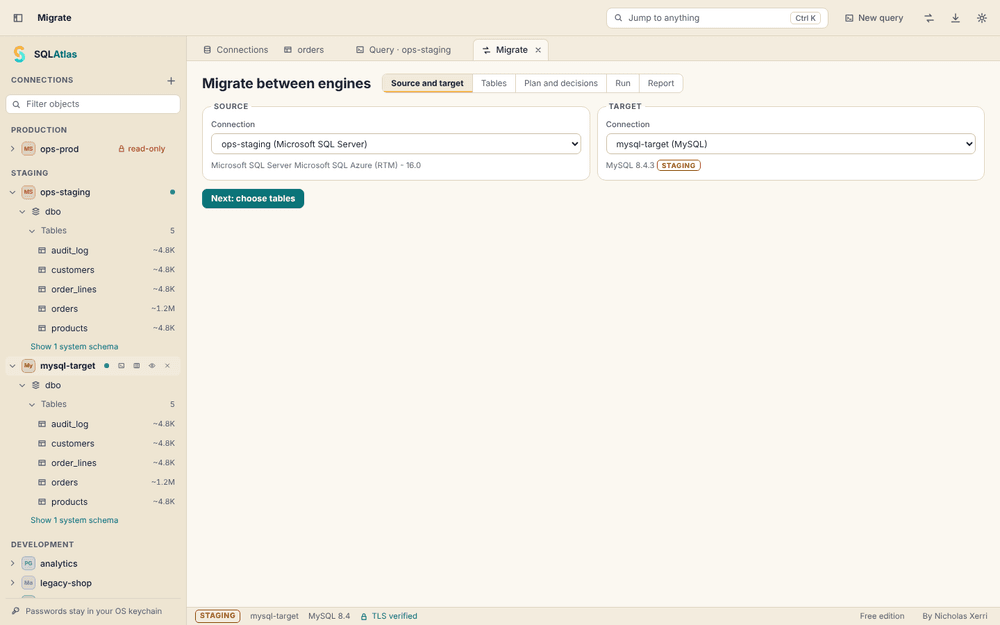
Source and targetLight
All screens show the SQLAtlas interface with sample data. See every feature
Import and export
Move data in and out
without changing it.
CSV export Free
RFC 4180 or your own delimiter. NULL and empty text stay different. Optional protection against spreadsheet formulas.
More formats Pro
Excel, JSON, NDJSON and SQL INSERT scripts for any target engine. In Excel, digits and dates are kept as text, so Excel can't round them.
Import Pro
CSV, JSON and NDJSON with column mapping, a preview of each INSERT, an error file and a choice of rows per transaction.
Security, never a paid extra
Built like
a bastion.
TLS verified by default
Certificate and host name are checked on every connection. SQLAtlas never downgrades encryption by itself; if verification fails, the connection fails.
SSH host keys checked first
An SSH tunnel needs the server's host-key fingerprint and checks it before any password or key is sent. A profile with a tunnel never connects directly.
Production stays read-only
Mark a connection as Production and it stays read-only until you unlock it for a limited time. Every write is shown for review first.
Passwords in your keychain
Secrets go only to the macOS Keychain, Windows Credential Manager or the Linux Secret Service. If none is available, SQLAtlas refuses to save rather than write a file.
Optional Touch ID
On a Mac you can protect saved passwords with Touch ID, so SQLAtlas can use them only after Touch ID or your Mac password. Off unless you turn it on.
Every file is your choice
SQLAtlas reads and writes only files you pick in a system dialog. The app window itself cannot reach any network host.
iPhone Duo At launch
Fold it. Unfold it.
Same data, exactly as stored.
On the iPhone Duo, SQLAtlas changes layout the moment you open the phone: a quick look on the cover screen, the full two-pane app on the inner screen. Nothing reloads and nothing is lost.
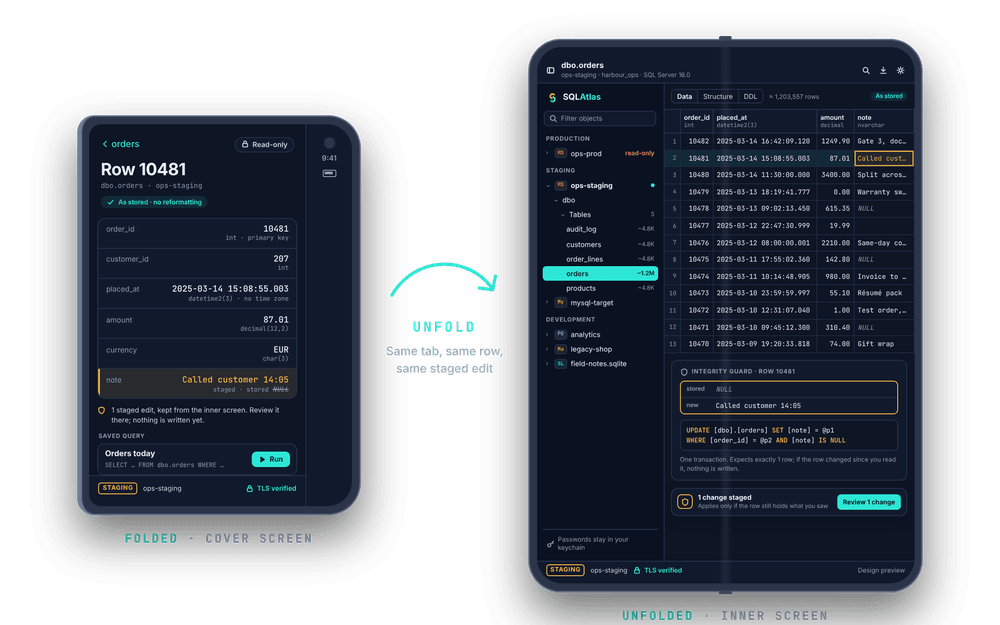
Folded: the iPhone layout
Check a value, run a saved query or read a row on the cover screen. It opens read-only by default, so a quick look never changes anything.
Unfolded: the iPad layout
Open the phone and SQLAtlas switches live to two panes: connections and schema on one side, the table or query on the other.
Nothing lost when you fold
The open tab, your query and any staged edits stay exactly where they were. The Integrity Guard and Production read-only work just as they do on the Mac.
SQLAtlas 1.0 is planned to launch on Mac, iPad, iPhone and iPhone Duo together, with one Pro purchase for all of them. Nothing is released yet. Every Apple screen
Pricing
Free. Pro once.
No subscription.
Free
Freeon every platform, for good
- All five engines: SQL Server and Azure SQL, MySQL, MariaDB, PostgreSQL, SQLite
- Browse, query and edit with the Integrity Guard
- CSV export
- TLS, SSH tunnels, keychain, Production read-only, Touch ID
One payment
Pro
Oncea one-time unlock, no subscription
- Database conversion between engines
- Import; export to Excel, JSON and SQL
- Schema compare and sync scripts
- ER diagram export, backups, the AI assistant
Security is never a paid extra. Every protection is in the free app. Compare Free and Pro
SQLAtlas by Nicholas Xerri
Made in Malta.
Built like a bastion.
I'm Nicholas Xerri, an independent developer. I build software the way Valletta was built: assume someone will try to get in, and make sure they can't. About me